
CRM & Automation That Helps Your Team Stay on Top of Every Conversation

Your team shouldn’t need to hunt through three different email accounts to find the latest customer interaction. It’s unreasonable to expect your team to be able to follow a process when pertinent information is stored in different places.

First, we study your business’s existing process for engaging customers. If there are potential customer interaction opportunities that your team is missing, we help identify and capture those, as well as remind your team of next steps and/or customer communication.

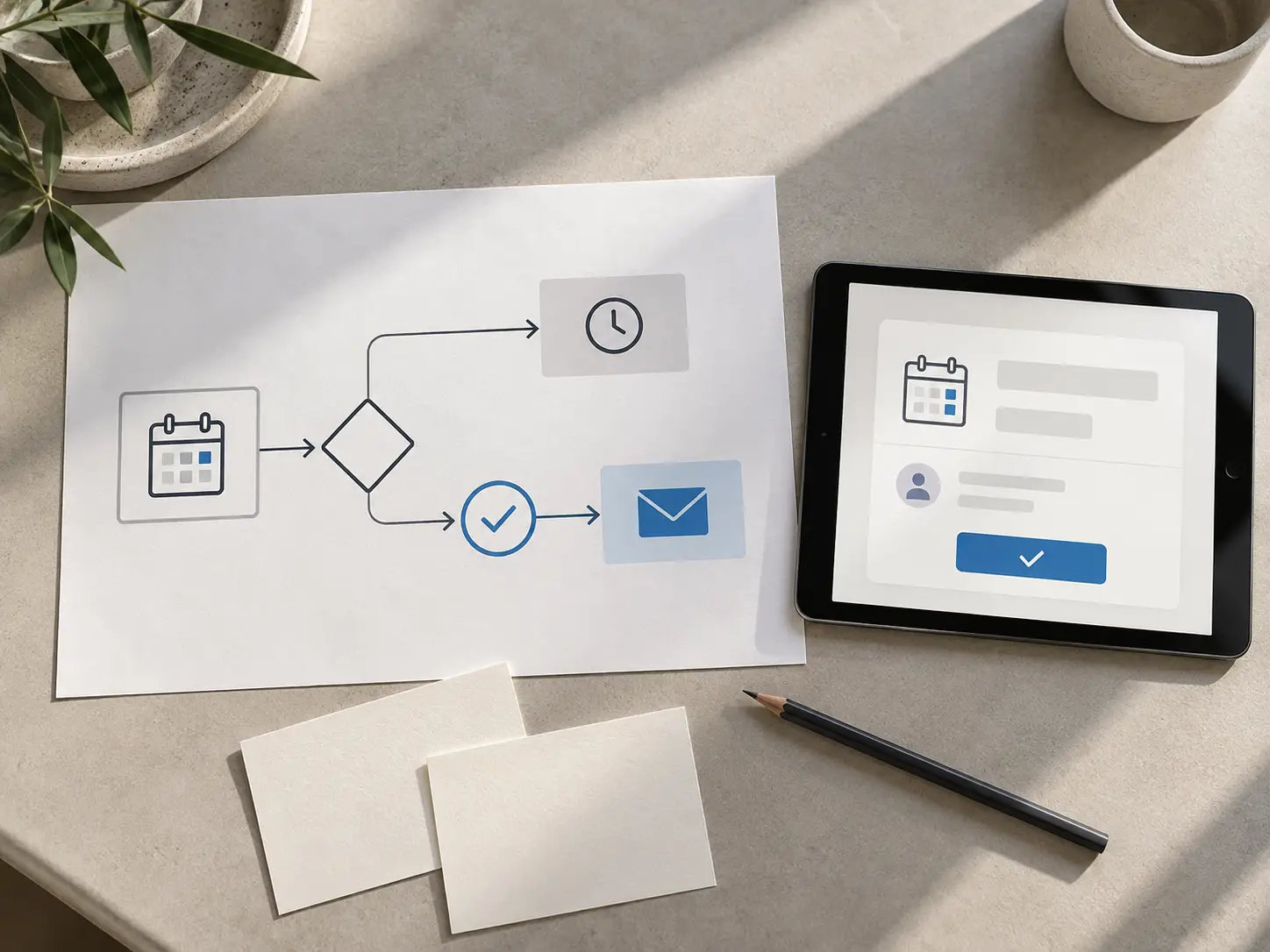
Printed workflow diagram for appointment reminders beside a tablet showing a booking confirmation.

01

When the Work Outgrows the Inbox

A CRM helps capture the relationship between multiple persons and the interactions between them. A CRM can help automate tasks and reminders. A CRM can't completely replace the need for face to face meetings, but can definitely help free up meeting time for more constructive interactions.

02

What We Set Up and Improve

01

A CRM your team can actually use

We analyze what info staff require once they receive a call or a written request from a customer and build the contact record based on that analysis. Info like the service being requested, how the request was made, who the request is from, appointment details and the request handler’s next action, need to be captured to be effective. We keep the contact record free from unnecessary details.

When a CRM is in use, we assess how it is being used to define potential improvements. In the case where a team is CRM-less, we evaluate the team’s needs prior to creating a ‘wish list’ of features.


02

Clear ownership and handoffs

New requests require assignment. We integrate the CRM with your process for assignment and updating the status of leads. The process determines who owns the lead and with whom the lead should be handled over. The CRM provides transparency and ease of use for your process for managing leads.

03

Reminders for the work people need to do

There are certain follow-ups that require a person to do the task as opposed to a system alert. For example, we can create a reminder to prompt a team member to call a customer or check the status of a proposal. Our goal is to set up a system of reminders that provides people the ability to follow through on an action as opposed to a system that sends countless notifications.

04

Helpful customer messages

We use automation to help communicate confirmations and next steps in the way your business communicates. This helps ensure messages are sent at the correct time. Your team can set messages to confirm bookings, but if the booking still needs to be approved by the team member, an automated confirmation should not be sent to the customer.

05

Connected forms and booking activity

We analyze whether your web forms and booking requests are assigned to the correct record and owner. A request should include details provided by the customer, define a logical next step, and avoid needless repetitive entry. Optimizing the overall experience and usability of the booking journey and forms is covered by Conversion Optimization.

Showroom team member checking a customer message on her phone.

03

Automation Should Fit the Moment

The first automation steps often involve simple actions like acknowledging a form submission or creating a reminder for a follow-up based on a proposal. A request for a scheduled appointment may automatically generate a confirmation.

04

Our Setup Process

  1. 01

    Understand Your Current Processes

    To help us create a workflow, let us know how leads, appointments, openings, and customer talks move throughout your business.

  2. 02

    Define Your Tracking Needs

    Based on your needs, we fill in definitions for records, fields, and statuses, and establish ownership for those records.

  3. 03

    Decide On Useful Automations

    Before automating everything, we establish a priority list for tasks and messages.

  4. 04

    Set Up Scenarios

    We take a close look at what happens to a lead after a call is scheduled and entered. We look at what happens after an opportunity is won or lost.

  5. 05

    Educate On Use

    We determine what alerts are unnecessary and what creates a concern for your team.

You don’t have to set up your processes perfectly from the start. Something simple like creating a shared document to store contacts with a process owner who sets up reminders can be the foundation of your process. You can continually enhance your process based on your team’s feedback.

05

How This Fits Your Wider Growth System

Lead Management covers how leads are found, evaluated, contacted, and followed up on. Your CRM and automation can support this process. Optimizing Sales procedures helps address challenges with closing. Customer Retention covers what happens after the sale.

The more consistently your teams capture the information needed in the CRM, the more valuable reporting becomes and the clearer the sales process becomes. Reports help identify which leads are qualified, average sales cycle, and where the roadblocks in the sales process are. Tracking these processes and variances help improve the sales process and increase close rates.

06

What Progress Looks Like

We evaluate processes and systems based on how well staff and customer needs are met, rather than the number of automations enabled. Does staff have what they need to effectively assist customers and take action on follow-up activities?

Where there is reliable initial data, we assess other measurable metrics, such as the coverage of responses, the existence of next Actions, and the confirmation of Appointments. We explain the limitations of these metrics. We do not depend on a software setting to believe we can capture more revenue.

Team member viewing a customer contact record and activity history on a laptop.

FAQ

Frequently Asked Questions

Not necessarily. We first understand your team and what they need in their current tools. It is often more useful to modify your current tools to meet your team’s requirements.

Many teams automate processes such as assigning a new inquiry, creating a follow-up task, sending an electronic request acknowledgment, and/or sending an appointment reminder.

That depends. Some web forms integrate directly with a CRM. Other web forms can capture inquiries and pass data to a CRM via an API. We can help you review your forms and determine the data passed to a CRM and automate processes based on that data.

We look at the system to determine why contact records are incomplete or duplicated. We set up rules and constraints for system edits and see how the system behaves with the new changes. Maintaining system record quality is a joint responsibility of the system administrator and the end users.

Put Users First

Let us know how your staff engages with a customer and where they lose that engagement. We can help you and your team focus on the right engagements.